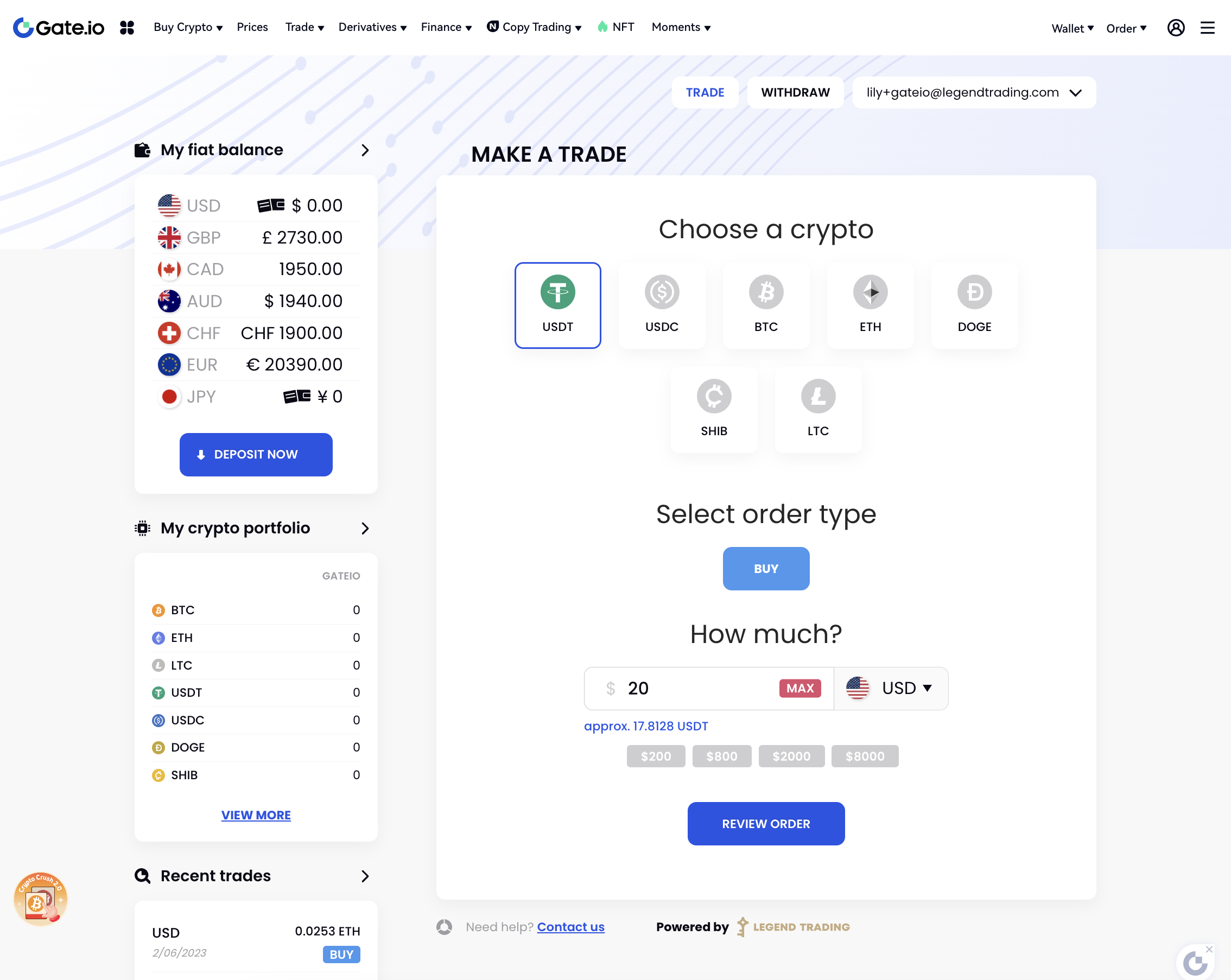
There's no need for your team to build user interfaces as Legend Pay provides all the UIs for fiat on/off ramp and trading. You only need to embed a few lines of codes into your webpage. However, make sure your webpages pass over correct parameters to the embedded codes.
Here's are a list of tasks your front-end team need to work on.
Embed the KYC and Trade UI from Legend Pay
Implement your standard Header, Footer,then embed LP's front-end SDK codes in between the header and the footer.
Pass the CSS style parameters
You may use these parameters to customize the styles of the embedded webpage, including the primary color, font color, font-size, etc. The goal is to keep the visual style the close as possible with your existing webpages, so that users would feel this is a part of the exchange or wallet.
Pass the authentication parameters
The front-end should be passed with important parameters below, to authenticate the requests and ensure the secure communications between the front-end pages and the backend services.
This is a critical approach to prevent hackers from forging the requests. We'll explain in details in the back-end integration part.
signature
timestamp
APP_ID
APP_URL
APP_KEY
APP_UID
APP_EMAIL (the current user's Email address, required)
APP_PHONE (the current user's phone, optional)


You may send both the Email and the phone number, or only send the Email.

We use the Email to check if this Email existed in our system, if so the user doesn't need to register again.
And we send Emails to users who execute large trades.
Content Security Policy
If your website has Content Security Policy (CSP) headers set up, allow the following directives.
script-src 'self' 'unsafe-inline' 'unsafe-eval' https://*.googleapis.com https://*.gstatic.com *.google.com https://*.ggpht.com *.googleusercontent.com blob:;
img-src 'self' https://*.googleapis.com https://*.gstatic.com *.google.com  *.googleusercontent.com data:;
frame-src *.google.com;
connect-src 'self' https://*.googleapis.com *.google.com https://*.gstatic.com  data: blob:;
font-src https://fonts.gstatic.com;
style-src 'self' 'unsafe-inline' https://fonts.googleapis.com;
worker-src blob:;<!DOCTYPE html>
<html lang="en">
<head>
<meta http-equiv="content-security-policy"
content="script-src 'self' 'unsafe-inline' 'unsafe-eval' https://*.googleapis.com https://*.gstatic.com *.google.com https://*.ggpht.com *.googleusercontent.com blob:;
img-src 'self' https://*.googleapis.com https://*.gstatic.com *.google.com *.googleusercontent.com data:;
frame-src *.google.com;
connect-src 'self' https://*.googleapis.com *.google.com https://*.gstatic.com data: blob:;
font-src https://fonts.gstatic.com;
style-src 'self' 'unsafe-inline' https://fonts.googleapis.com;
worker-src blob:;">
</head>There are a few external services used in our SDK. Here are their domains.
*.googleapis.com
*.gstatic.com
*.google.com
*.googleusercontent.com
*.googletagmanager.com
*.google-analytics.com
*.analytics.google.com
*.g.doubleclick.net
fonts.googleapis.com

static.zdassets.com
ekr.zdassets.com
ekr.zendesk.com
legendtrading.zendesk.com
*.zopim.com
zendesk-eu.my.sentry.io
*.zopim.com;
v2assets.zopim.io
static.zdassets.com

*.veriff.me
*.veriff.com
*.hotjar.com
*.probity.io

*.checkout.com
js.checkout.com
risk.checkout.com
fpjs.checkout.com
fpjscache.checkout.com
*.sandbox.checkout.com
risk.sandbox.checkout.com
fpjs.sandbox.checkout.com
fpjscache.sandbox.checkout.com

*.sardine.ai
api.sardine.ai
*.sandbox.sardine.ai
api.sandbox.sardine.ai

*.worldpay.com
access.worldpay.com
try.access.worldpay.com
*.cardinalcommerce.com
centinelapi.cardinalcommerce.com
centinelapistag.cardinalcommerce.com
Please refer to these links:
- https://developer.mozilla.org/en-US/docs/Web/HTTP/CSP
- https://developers.google.com/tag-platform/tag-manager/csp
- https://developer.zendesk.com/documentation/classic-web-widget-sdks/web-widget/integrating-with-google/csp/
- https://developers.veriff.com/#adding-content-security-policy-to-incontext-sdk
- https://www.checkout.com/docs/business-operations/prevent-fraud/integrate-with-risk-js#Content_Security_Policies
Live examples
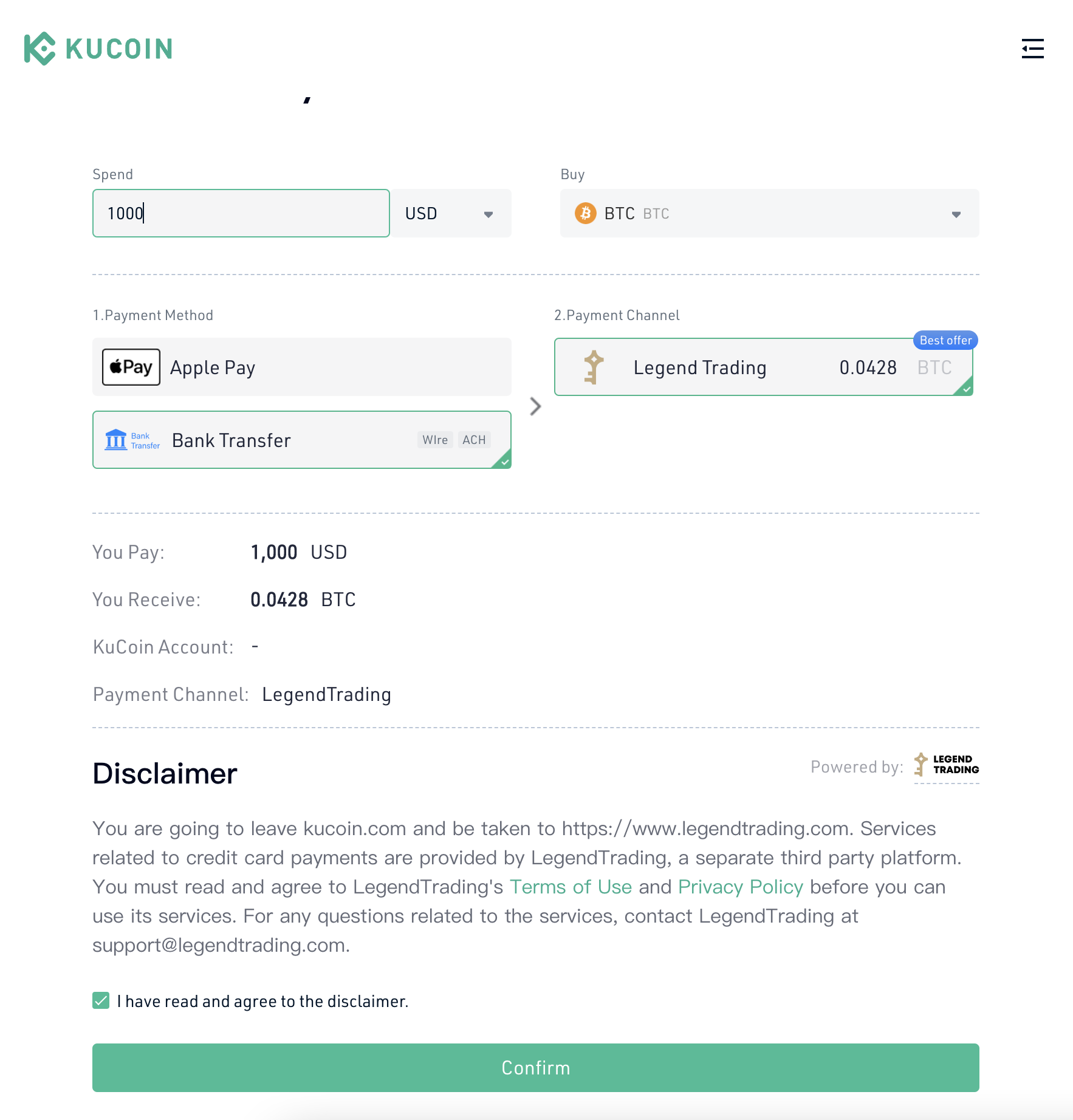
Kucoin.com
Gate.io